
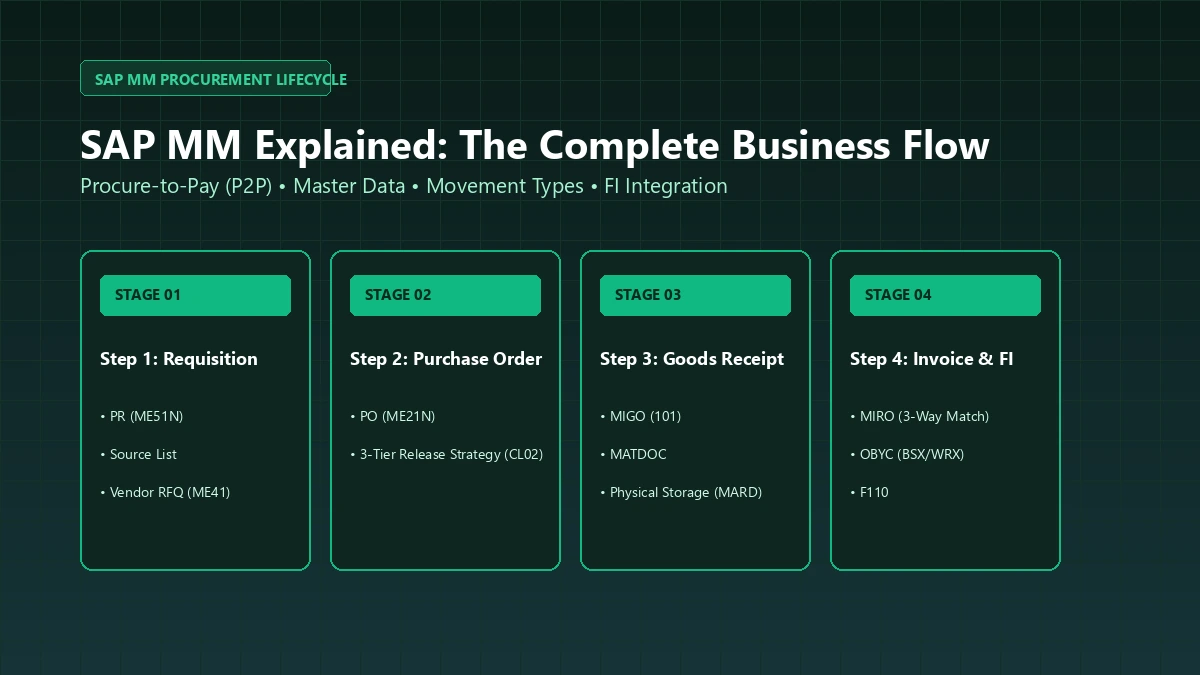
SAP MM Explained: Procurement, Inventory Management, and the Complete Business Process Flow
Every global enterprise—from automotive manufacturers like BMW and Tata Motors to retail conglomerates and pharmaceutical giants—relies on an intricate web of raw materials, spare parts, services, and finished inventory. If a manufacturing plant runs out of steel fasteners or electrical harnesses for just two hours, the entire production line grinds to a halt, costing hundreds of thousands of dollars per minute.
In the enterprise software universe, the operational engine responsible for governing this entire supply chain and purchasing infrastructure is SAP Materials Management (SAP MM).
Whether you are a fresh engineering or commerce graduate entering enterprise technology, a logistics professional considering a career pivot, or an aspiring SAP functional consultant, understanding the complete business process flow of SAP MM is your foundational milestone.
In this mentor-led guide, we unpack what SAP MM actually does in real-world corporations, dissect the end-to-end Procure-to-Pay (P2P) lifecycle step-by-step, explain organizational hierarchies, inventory valuations, and reveal how MM integrates seamlessly with SAP Finance (FI).
Direct Answer: What Exactly Is SAP Materials Management (MM)?
SAP MM (Materials Management) is the core functional module in SAP ERP (ECC) and SAP S/4HANA that automates, monitors, and optimizes an enterprise's end-to-end procurement and inventory workflows.
It manages everything from identifying an internal material requirement and negotiating vendor contracts to issuing Purchase Orders, receiving physical warehouse goods, verifying supplier invoices, and settling account balances with financial accounting.
Rather than being a simple spreadsheet of items, SAP MM acts as a unified digital nervous system connecting plant engineers, warehouse storekeepers, purchasing managers, accounts payable clerks, and external suppliers.
The 8-Step Procure-to-Pay (P2P) Process Flow
The Procure-to-Pay (P2P) cycle is the primary transactional spine of Materials Management. Below is the chronological progression every enterprise purchasing document follows:
[Step 1: Requirement Identification] ──> Purchase Requisition (PR)
                     │
[Step 2: Vendor Sourcing & RFQ]       ──> Request for Quotation (ME41)
                     │
[Step 3: Quotation Comparison]       ──> Price Comparison Sheet (ME49)
                     │
[Step 4: Purchasing Document]         ──> Purchase Order (PO / ME21N)
                     │
[Step 5: Document Approval]          ──> Release Strategy (ME28 / ME29N)
                     │
[Step 6: Physical Receiving]          ──> Goods Receipt (MIGO)
                     │
[Step 7: Supplier Invoicing]         ──> Invoice Verification (MIRO)
                     │
[Step 8: Payment Settlement]          ──> Accounts Payable Clearing (F110)
Step 1: Identification of Operational Need (Purchase Requisition)
Everything begins with a requirement. A shop-floor production supervisor in a manufacturing plant notices that inventory for copper coils has dipped below the reorder point, or the IT department needs 50 new laptops for onboarding engineers.
- Document Created: Purchase Requisition (PR) via T-Code
ME51N. - Nature: Internal planning document. It holds no external legal validity and cannot be sent to an outside vendor.
Step 2 & 3: Source Determination & Quotation Analysis (RFQ)
If the enterprise does not have an existing long-term contract or fixed vendor for the requested material:
- The purchasing department generates a Request for Quotation (RFQ) via T-Code
ME41and transmits it to multiple prospective vendors. - Vendors submit bids outlining unit prices, delivery lead times, incoterms, and payment terms (
ME47). - The consultant or buyer runs the Price Comparison List via T-Code
ME49to mathematically evaluate the most cost-effective and dependable supplier.
Step 4 & 5: Formal Purchase Order (PO) & Release Strategy
Once a supplier is selected, the internal requisition transforms into an external, legally binding commercial commitment:
- Purchase Order (PO) created via T-Code
ME21N. - Managerial Governance: To prevent rogue spending, enterprise POs pass through an automated Release Strategy. For instance, POs under ₹500,000 are approved by the Procurement Lead, while POs exceeding ₹2,500,000 require simultaneous sign-off from the Plant Director and Chief Financial Officer.
Step 6: Physical Receiving (Goods Receipt - MIGO)
When the supplier's truck arrives at the factory gate or warehouse receiving dock:
- The storekeeper inspects delivered items against the Purchase Order.
- The warehouse records a Goods Receipt (GR) using transaction code
MIGOwith Movement Type 101 (Goods receipt for purchase order into warehouse stock). - System Impact: Stock quantity in table
MARDincreases immediately, and an automated Material Document (MATDOCin S/4HANA) is generated along with an automated accounting entry.
Step 7: Logistics Invoice Verification (MIRO)
Shortly after delivery, the vendor sends their official commercial invoice:
- The accounts payable department processes the bill in SAP via transaction
MIRO. - The Three-Way Match: SAP executes an automated validation between:
- The Purchase Order (agreed price and quantities).
- The Goods Receipt (physically received quantities).
- The Vendor Invoice (billed price and billed quantities).
- If discrepancies exceed configured tolerance limits, the invoice is blocked automatically for payment review.
Step 8: Payment Execution (Integration with SAP FI)
Once cleared, the financial accounting team processes the vendor liability through the automatic payment program (F110), debiting the vendor payable account and crediting the corporate bank clearing account.
SAP MM Organizational Hierarchy
In SAP, business logic cannot execute in a vacuum; it requires a structured enterprise hierarchy. Understanding this structure is essential for configuring SPRO customizing tables:
| Enterprise Level | Architectural Scope | Real-World Example |
|---|---|---|
| Client | Highest administrative unit in SAP system. Contains master databases. | Client 100 (Corporate Group) |
| Company Code | Smallest organizational unit for which an independent financial balance sheet and P&L can be compiled. | Company Code 1000 (Tata Motors India Ltd.) |
| Plant | Operational location where goods are manufactured, stored, or distributed. | Plant P101 (Pune Manufacturing Plant) |
| Storage Location | Subdivision within a plant where physical inventory is segregated. | St. Loc SL01 (Raw Materials), SL02 (Finished Goods) |
| Purchasing Organization | Legal organizational unit responsible for negotiating procurement contracts and vendor conditions. | P.Org 1000 (Centralized Corporate Sourcing) |
| Purchasing Group | Individual buyer or team of buyers responsible for day-to-day purchasing activities. | P.Grp 001 (Mechanical Fasteners Buyer) |
Inventory Management & Critical Movement Types
In SAP MM, inventory is never moved or altered by simply typing a new number. Every single physical movement—whether unloading a shipment, scrapping defective raw materials, or transferring stock between plants—requires an authorized Movement Type.
Common 3-digit movement types every consultant must know:
- Movement Type
101: Goods receipt for purchase order into warehouse storage. - Movement Type
103/105: Goods receipt into quality inspection block (103), followed by release into unrestricted usable stock (105). - Movement Type
201: Goods issue for internal cost center consumption (e.g. maintenance oil issued to a machine shop). - Movement Type
261: Goods issue for production order (raw materials consumed to manufacture a finished sub-assembly). - Movement Type
301: Plant-to-plant stock transfer within the same company code. - Movement Type
551: Goods issue for scrapping damaged or expired inventory.
Cross-Module Integration: How MM Connects with SAP FI
One of the primary reasons SAP dominates Fortune 500 enterprises is its real-time cross-module integration. When a logistics storekeeper posts a Goods Receipt (MIGO), they do not need to call the finance team to record an accounting journal. SAP posts it automatically through OBYC Account Determination.
The Goods Receipt Accounting Entry
When materials are received via MIGO:
- Debit: Inventory Account (
BSX- Balance Sheet Asset increases). - Credit: Goods Receipt / Invoice Receipt Clearing Account (
WRX- Interim Liability increases).
The Invoice Receipt Accounting Entry
When the vendor bill is processed via MIRO:
- Debit: GR/IR Clearing Account (
WRX- Interim Liability cleared to zero). - Credit: Vendor Open Item Account (
KBS- Accounts Payable liability recorded).
If the vendor invoice price differs from the Purchase Order price, SAP automatically calculates the variance and routes the discrepancy to the Price Difference (PRD) account.
Frequently Asked Questions (FAQ)
What is the difference between an SAP MM End User and an SAP MM Consultant?
An End User operates standard daily transactions—such as creating Purchase Orders in ME21N or booking goods receipts in MIGO. An SAP MM Consultant designs the underlying architecture: configuring enterprise structures in SPRO, setting up automatic account determination (OBYC), creating release strategy workflows, and designing client-specific custom enhancements.
Can a candidate from a non-IT or mechanical background learn SAP MM?
Yes. In fact, professionals with backgrounds in mechanical engineering, warehouse logistics, purchasing, or commerce frequently make superior SAP MM functional consultants. Their intuitive grasp of real-world supply chains, bill of materials, and vendor negotiation allows them to translate business requirements into SAP configuration far more effectively than pure coders.
What are the core transaction codes (T-Codes) used daily in SAP MM?
Essential transaction codes include ME21N/ME22N/ME23N (Purchase Orders), ME51N (Purchase Requisitions), MIGO (Goods Movement & Receipts), MIRO (Invoice Verification), MM01/MM02/MM03 (Material Master), and BP (Business Partner in S/4HANA).
How does SAP S/4HANA change traditional SAP MM?
In S/4HANA, procurement is transformed into S/4HANA Sourcing & Procurement. Key changes include replacing traditional vendor master tables (LFA1) with the unified Business Partner (BP) model, replacing inventory tables (MKPF/MSEG) with the single Universal Material Document table (MATDOC), and introducing modern SAP Fiori tile-based interfaces.
Conclusion & Next Steps in Your SAP MM Journey
Understanding the complete process flow of SAP Materials Management bridges the gap between surface-level transaction execution and high-level enterprise architecture. When you understand how a single Purchase Requisition creates ripple effects across warehouse valuation, plant manufacturing, and corporate general ledgers, you possess the mental model required of top-tier functional consultants.
To master hands-on configuration on live enterprise S/4HANA servers, explore our dedicated curriculum:
- SAP MM Comprehensive Certification Track
- SAP MM-FI Integration & OBYC Configuration Guide
- SAP MM Release Strategy Configuration: PO & PR Guide
- Top 35 SAP MM & S/4HANA Interview Questions
Ready to Accelerate Your Career with SAP MM?
Stop struggling with fragmented tutorials. Get trained personally by Akshay Kumar (6+ years experience, 500+ placed professionals) with real-time S/4HANA server access, business blueprint scenarios, and 100% interview preparation.

Related Tutorials & Articles
Continue learning with more insights from ERP Academy experts.
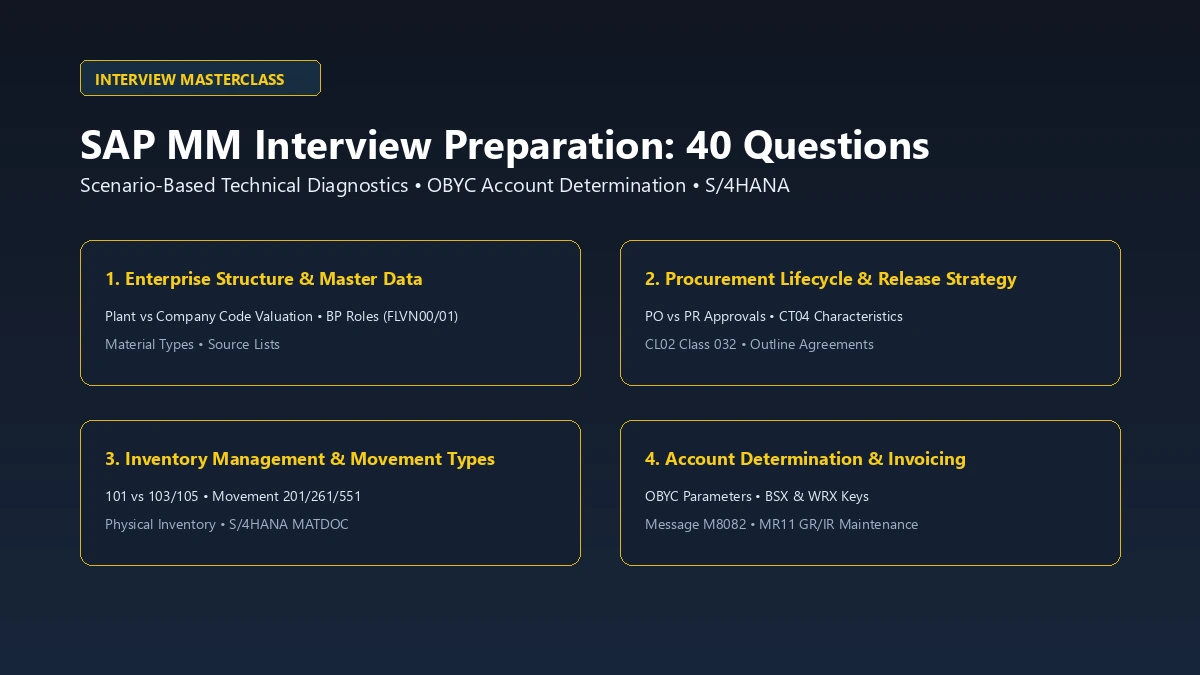
SAP MM Interview Preparation: 40 Practical, Scenario-Based Questions & Answers
Prepare for your SAP MM consultant interview with 40 real-world, scenario-based questions covering P2P, split valuation, physical inventory, PR release strategy, and OBYC integration.
Read Guide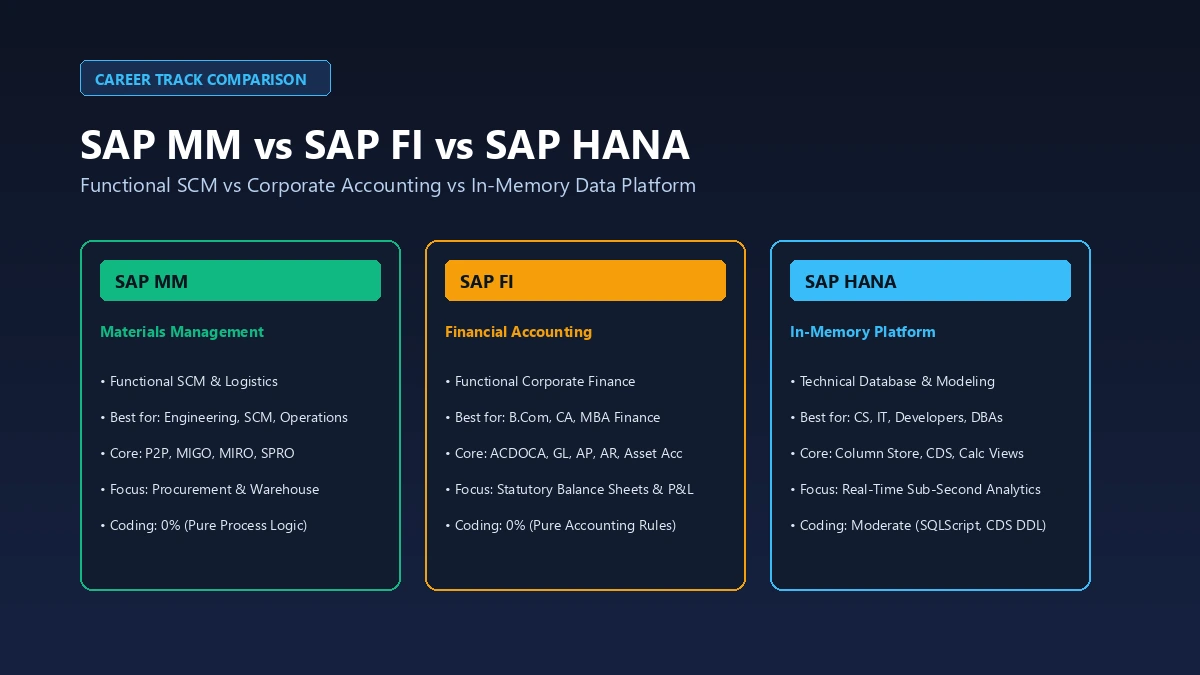
SAP MM vs SAP FI vs SAP HANA: Which Career Path is Right for You in 2026?
Compare SAP MM, SAP FI, and SAP HANA side by side. Discover career prospects, daily responsibilities, salary comparisons, and find the best module for your background.
Read Guide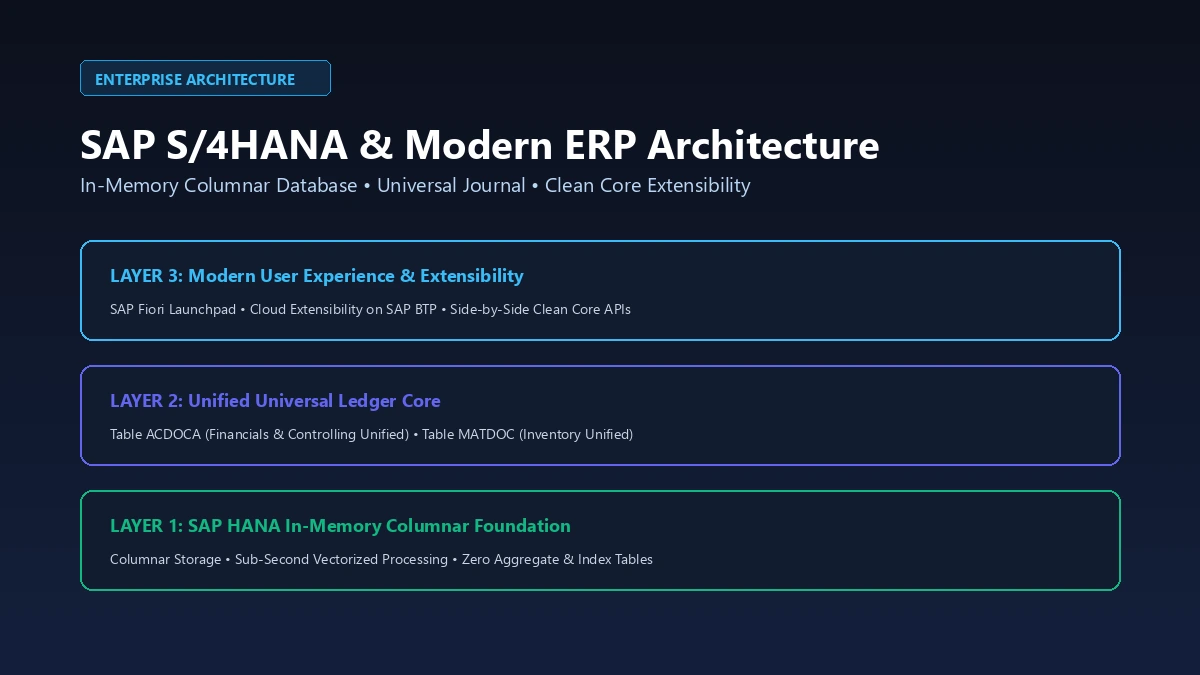
What is SAP S/4HANA? Modern ERP Architecture & Essential Skills for 2026
Understand how SAP S/4HANA revolutionized enterprise architecture. Explore in-memory computing, universal journal ACDOCA, Fiori UX, and the critical skills consultants need today.
Read Guide